How it works
How CoachFile actually works.
Three steps to turn years of unstructured notes into a memory system you will actually use every week.
Step 1, Import
Bring the notes you already keep.
The thing CoachFile replaces is a folder of documents plus your memory. So it starts where your history already lives.
Drop in your folder
Drag in your Word documents, PDFs, and text files. No reformatting first.
AI reads it into drafts
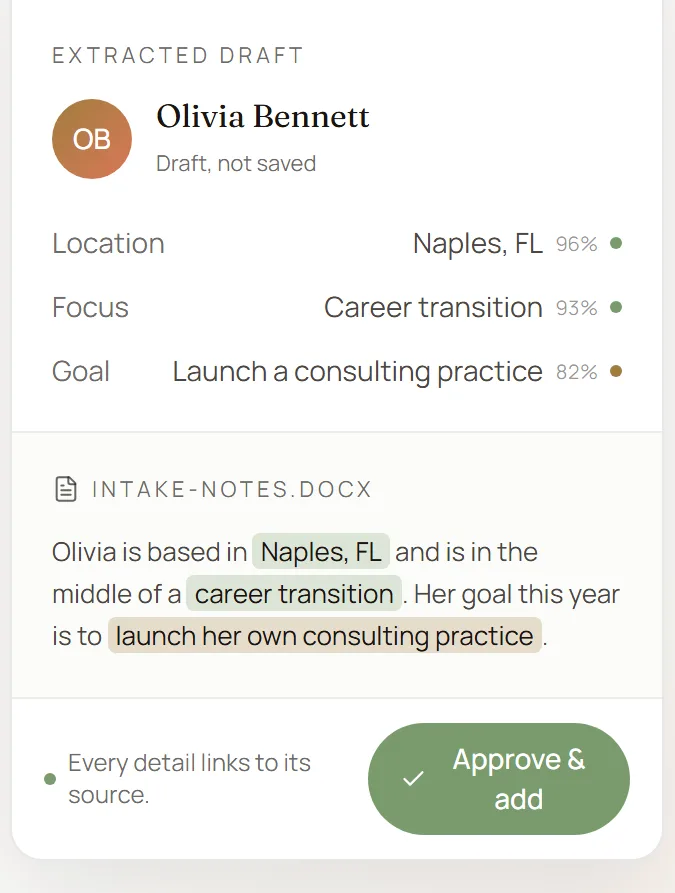
CoachFile organizes the content into draft client records. Every extracted fact links back to the exact source text, and duplicate matches are flagged for you.
Sensitive notes are flagged, never assumed
Content that reads as sensitive, like trauma, abuse, or medical detail, is flagged for your explicit review and is never imported on its own.
You approve before anything saves
Review, edit, or skip each draft. A typical practice takes about 30 to 45 minutes from folder to organized roster.
Step 2, Organize
Get an organized practice back.
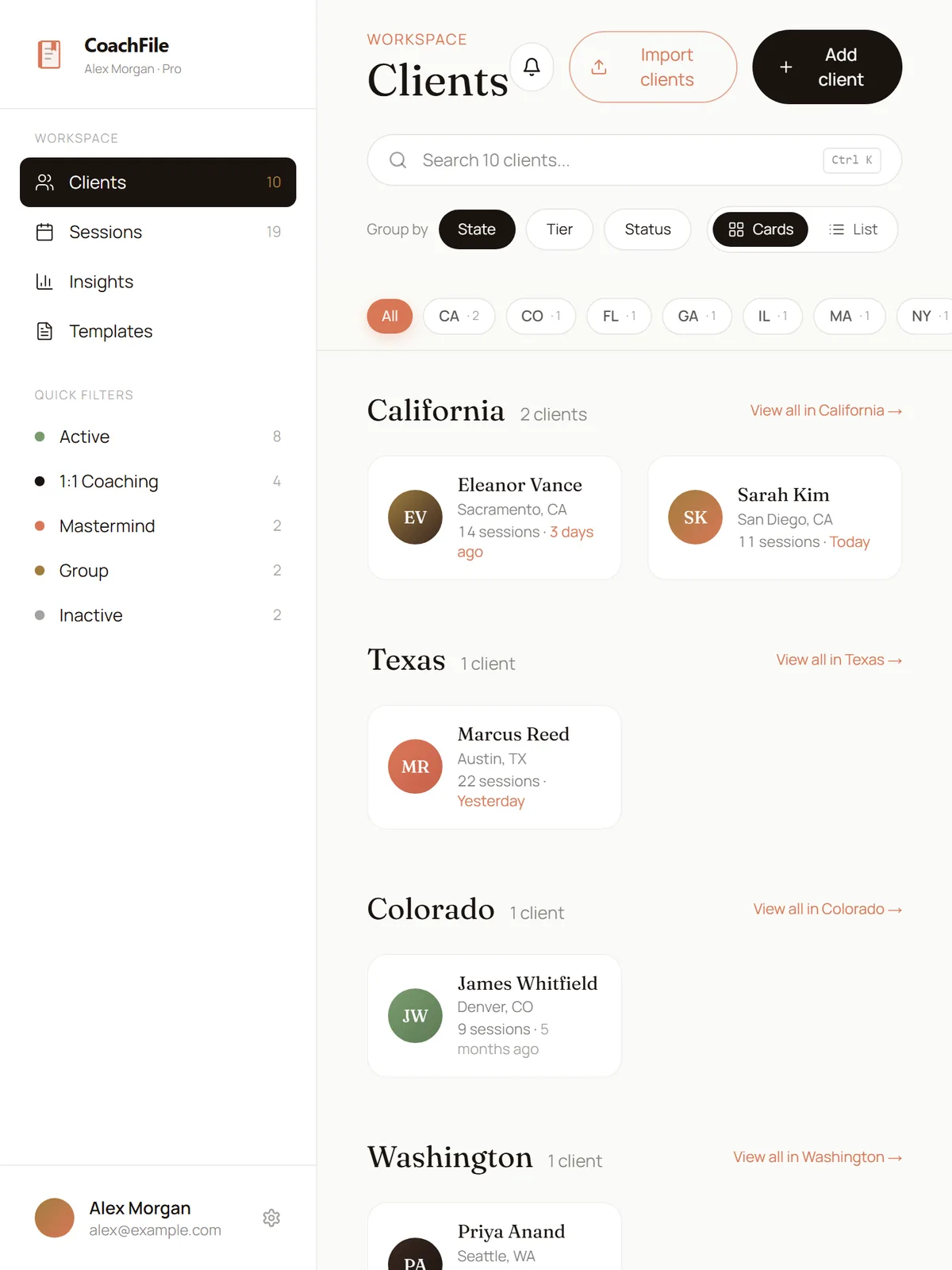
Once you approve your drafts, the scattered files become one structured workspace you can move through quickly.
A client roster you can actually read
Each client gets a timeline plus the custom fields your practice runs on, the ones you define, not a fixed template.
A session log per client
Notes, action items, and the patterns that surface over time, kept in one place instead of scattered across documents.
Templates you reuse
Start from sensible defaults or build your own, so logging a session is a few structured fields instead of a blank page.
Search across everything
Press Cmd/Ctrl+K and search your whole practice by client, note, or detail in one place.
Step 3, Stay on top
It earns its place between sessions.
Importing is the start. Three quiet loops keep the right context in front of you at the right moment, so the discipline does not have to live in your head.
Before each session
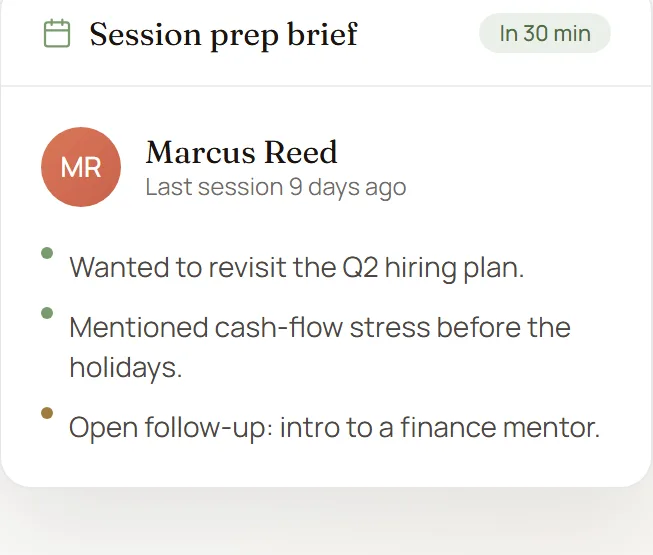
A prep brief, 30 minutes ahead
Schedule a session and 30 minutes before it starts CoachFile sends you a brief from what you already recorded: the last conversation, what is still open, recent changes, and the patterns worth watching. Read it in 30 seconds and walk in ready.
After each session
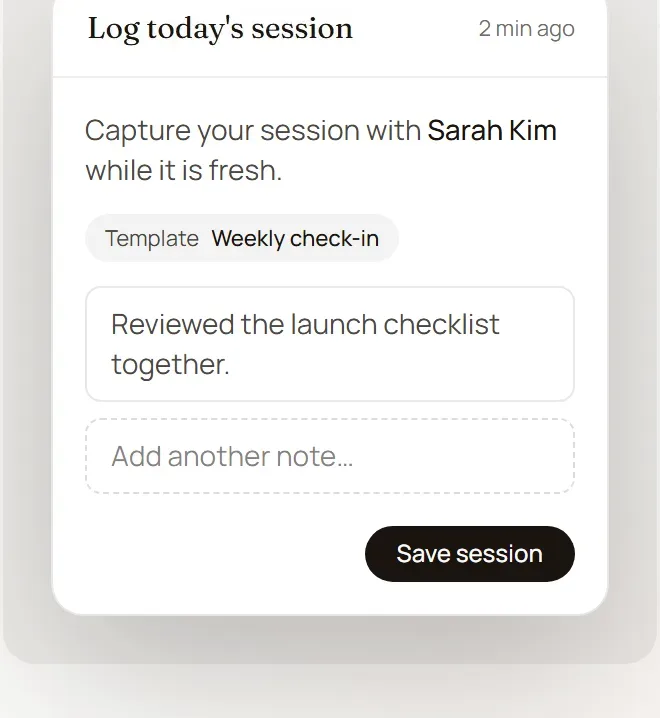
A nudge to capture it while it is fresh
5 minutes after a session ends, CoachFile prompts you to log what happened. It starts from your own template, so wins, stuck points, and the next focus are a couple of taps instead of a blank page you put off.
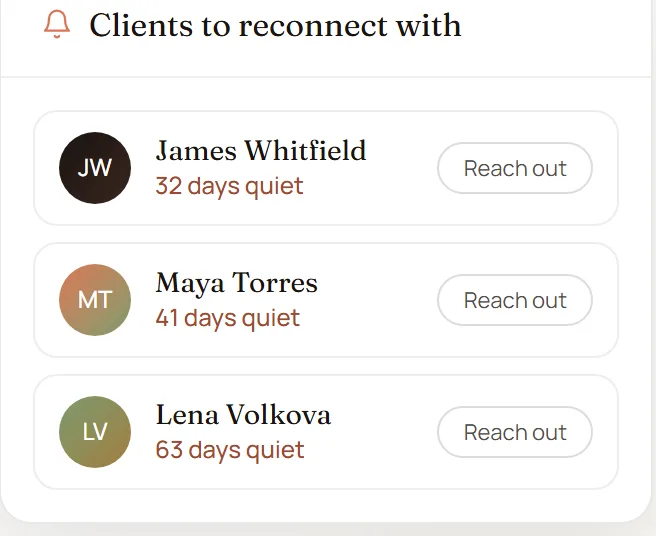
When a client goes quiet
A reminder before they slip away
Any client you have not seen in 30 days surfaces as a follow-up reminder in a needs-attention view, and it escalates at 45 and 60 days. No one falls through the cracks because the discipline lived only in your head.
Built for sensitive work
The trust mechanics, in plain language.
Encrypted, and then some
Your data is encrypted in transit and at rest, with an extra layer of encryption on your most sensitive fields like client names and session notes.
Your data is yours
Export everything as JSON or CSV at any time, and delete your account yourself with a 30-day grace period before anything becomes permanent.
Non-clinical by design
Built for coaching, not clinical care. CoachFile is not for HIPAA-regulated patient records, licensed mental-health treatment, or crisis response.
Read the full security model on our security page.
Ready? Start with 5 clients free.
No credit card. Bring your folder, see your roster organized, and decide from there.